
A focus timer for macOS that actually keeps you focused.
Block distracting sites. Close the apps you don't need. Get back to work in one click. Built natively for your mac.
First launch: Right-click the app icon in Finder and choose Open. macOS hasn't seen this build before.
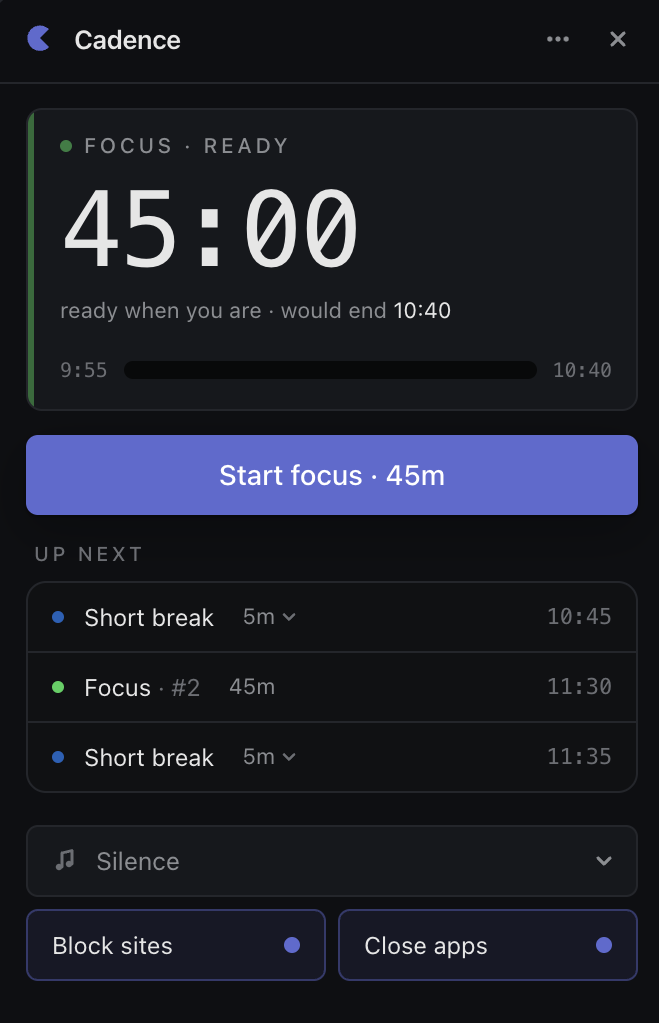
Distraction-free focus, built for macOS
Why people love Cadence over other applications.
Lives in the Menu Bar
The whole app resides as a sleek purple glyph in your menu bar. Quietly shielding you from the internet, clicking it drops down your configuration and timers. Out of the way until you need it.
Native & Lightweight
Built natively for macOS. Starts up in well under a second, consumes next to zero RAM, and uses less than 1% CPU resources, keeping your MacBook running cool and battery-efficient.
Privacy-First Architecture
No accounts, no sync servers, no telemetry, no tracking. Your history and options belong exclusively to you, saved locally on your SSD in a single JSON file.
System Integrations
Fully integrated with macOS ecosystem. Auto-triggers native Do Not Disturb, coordinates with Spaces transitions, and respect system dark modes automatically.
Frequently Asked Questions
Have questions about Cadence? We have got you covered.
How does the website blocker function?
Can I customize the focus sound loop?
Does Cadence track my browsing history or collect analytics?
Is there an Intel (x86_64) version available?
Ready to focus?
Download Cadence today and reclaim your focus. Built natively for macOS.
Download for macOSv1.0.1 · Supports macOS 12.0+. Apple Silicon · Older versions